

Your Cloudflare,
Everywhere.
A native iOS and macOS app for managing Cloudflare domains, DNS, Workers, analytics, security, and WAF — all from your iPhone, iPad, or Mac.

Sign in without handing over keys
No API tokens to paste
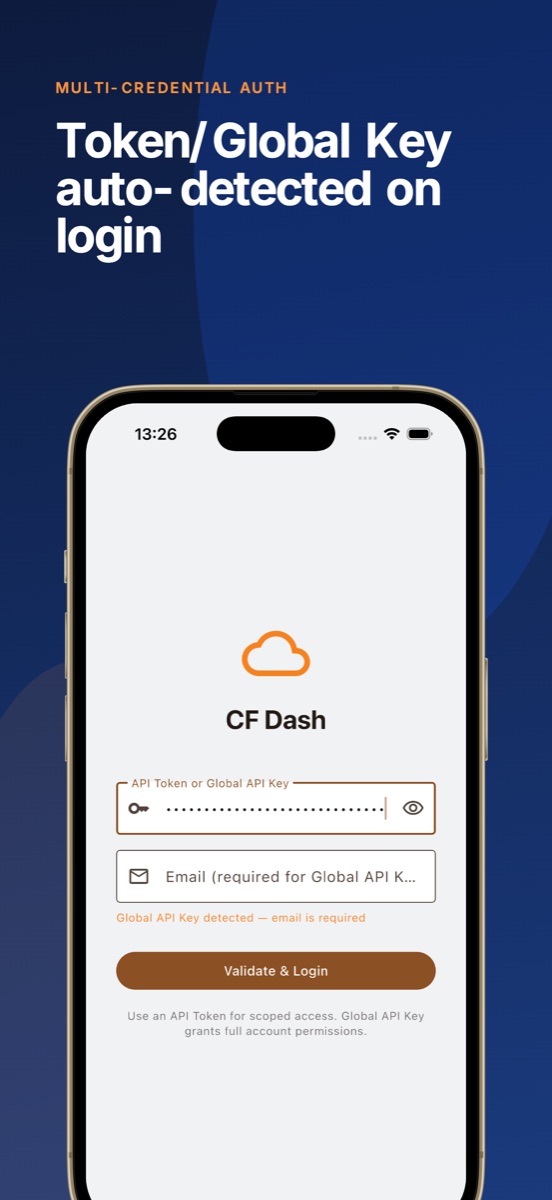
Sign in with Cloudflare's official OAuth 2.0 + PKCE flow. Scopes are selectable and revocable at any time.
Tokens live in Keychain
Credentials are stored only in iOS/macOS secure storage. The app never uploads them to any server.
Device-to-Cloudflare only
Requests go directly to api.cloudflare.com. No servers in between, no data collection.
Features
Domain Management
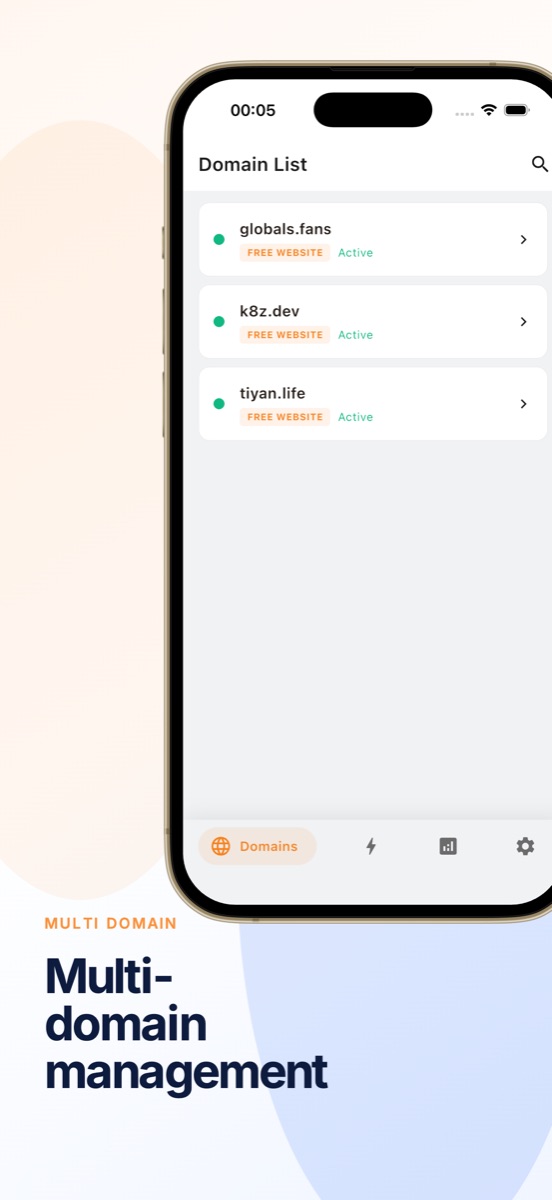
View all Cloudflare zones at a glance with status indicators and SSL health. Monitor domain health from your pocket in under two seconds.
DNS Editor
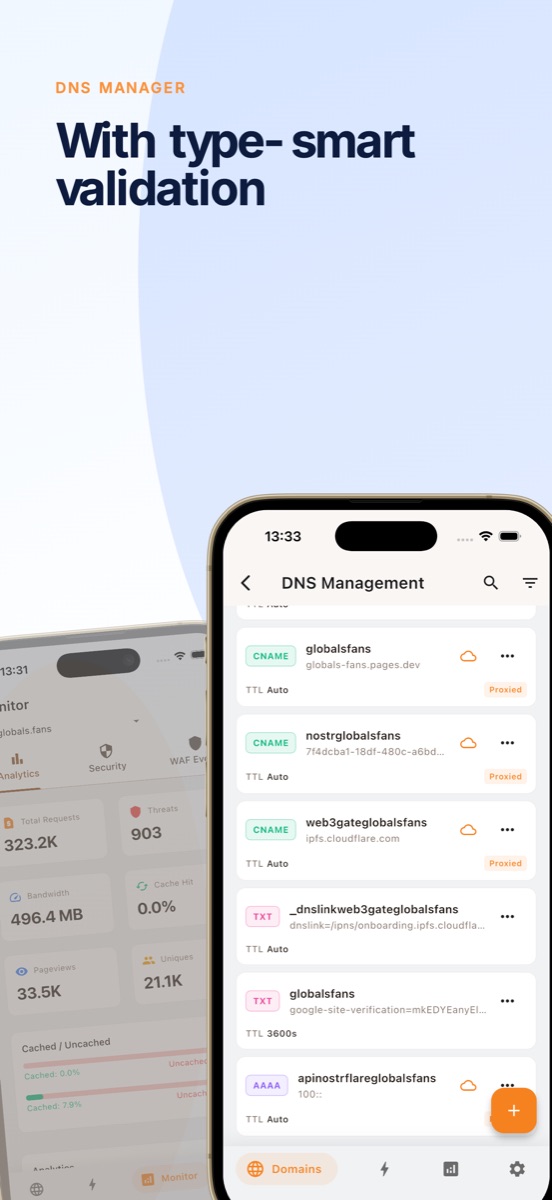
Full CRUD with type-specific validation for A, AAAA, CNAME, MX, TXT, and more. One-tap proxy toggle — the orange cloud, on your phone.
Workers & Pages
Browse edge compute projects, check deployments, view version history, and manage bindings for KV, R2, D1, and Durable Objects.
R2 / D1 / KV
Manage storage buckets, databases, and namespaces in seconds. View contents, create and delete entries, configure lifecycle rules.
Analytics & WAF
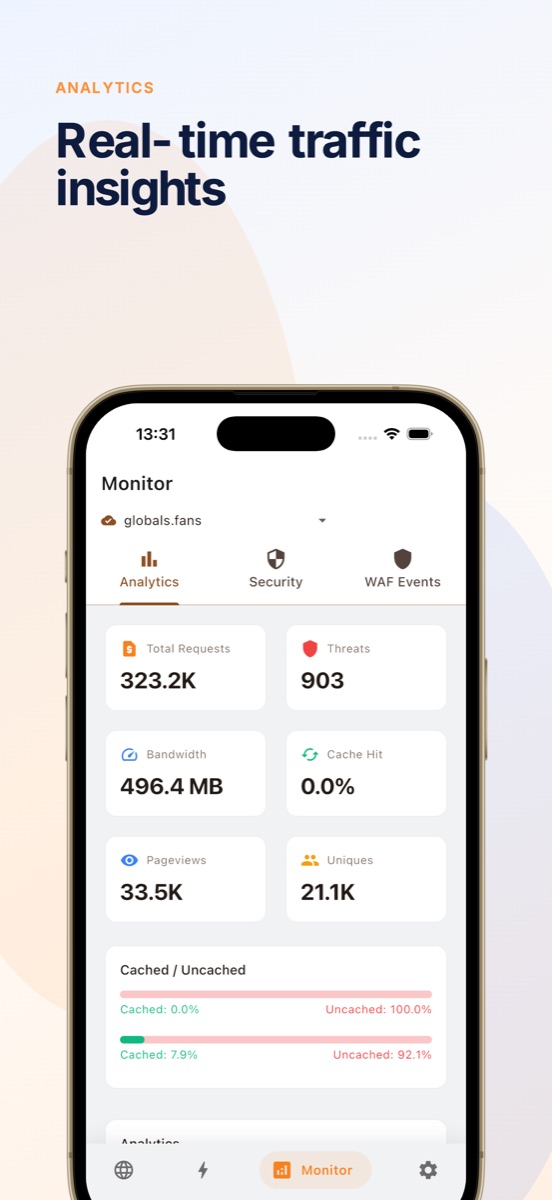
Interactive HTTP traffic charts with daily breakdowns and country-level data. Real-time firewall event monitoring with action filters.
Cache & Security
Purge cache by URL or all with instant feedback. Monitor Attack Surface Reports, configure SSL/TLS, and manage firewall rules.
Comparison
| Feature | CF Dash | Cloudflare Web |
|---|---|---|
| Platform | Native iOS + macOS | Web browser |
| Launch to domain list | < 2 seconds | 5-10 seconds |
| Offline access | Cached zone data | No |
| Biometric auth | Face ID / Touch ID | Password / SSO |
| One-handed DNS edit | Yes | Desktop layout only |
| Multi-account switch | One tap | Re-login required |
| DNS proxy toggle | One tap | Navigate to settings |
| WAF event filter | Native filters | Web table filters |
| Analytics charts | Interactive, gesture-friendly | Dashboard widgets |
FAQ
What is the best Cloudflare dashboard app for iPhone?
CF Dash is a native iOS and macOS app that provides the most complete Cloudflare management experience on mobile. It supports domain management, DNS editing, Workers and Pages monitoring, WAF event tracking, and real-time analytics — all from your pocket. Unlike the web dashboard, CF Dash is built specifically for iPhone and iPad with faster navigation, biometric authentication, and offline-capable data.
Is there a native Cloudflare app for macOS?
Yes. CF Dash is a native macOS app built with Flutter, available on the Mac App Store. It provides the same feature set as the iOS version — domain monitoring, DNS editing, Workers management, analytics, WAF events, and cache control — optimized for the Mac with keyboard shortcuts and window management.
Does CF Dash support Cloudflare Workers and Pages?
Yes. CF Dash provides a unified view of all your Workers and Pages projects. You can browse scripts, check deployments, view version history, and manage bindings for KV, R2, D1, and Durable Objects — all from the Compute tab.
Is my Cloudflare API token safe in CF Dash?
Yes. CF Dash stores your API token using iOS and macOS Secure Enclave via flutter_secure_storage. The app never sends your token to any server other than Cloudflare's official API (api.cloudflare.com). Biometric authentication (Face ID / Touch ID) protects access to the app and your credentials.
Can I use multiple Cloudflare accounts in one app?
Yes. CF Dash supports multi-account management, allowing you to switch between Cloudflare accounts seamlessly without re-entering credentials. Each account's API Token is stored securely with biometric protection.
What Cloudflare features does CF Dash support?
Zone list and status monitoring, DNS record CRUD with proxy toggle, SSL/TLS configuration, cache purge (by URL or all), Workers listing and detail, Pages projects and deployments, R2 bucket management, D1 database management, KV namespace management, HTTP traffic analytics with interactive charts, bandwidth breakdowns by country, Attack Surface Reports, WAF event monitoring with action filters, and multi-account switching with biometric protection.
Pricing
Free
- Up to 2 domains
- 1 account
- Full DNS CRUD + one-tap proxy
- SSL/TLS mode + Universal SSL
- Cache purge
- 24 hours of analytics
- Face ID / Touch ID
Everything you need to manage your domains day-to-day.
Pro
- Unlimited domains
- Multiple accounts
- 7d / 30d analytics
- WAF event monitoring
- Manage Workers & Pages
- R2 / D1 / KV management
- Custom SSL certificates
For power users and agencies.
Free vs Pro details →Get Started with CF Dash
Download today and manage your Cloudflare infrastructure from anywhere.
View on GitHub · Free + Pro Subscription